Your Trusted Source for Microsoft Windows Server RDS CALs

Welcome to RDSCAL.COM. Navigating Microsoft’s remote licensing can be complex, but securing your network shouldn't be. Built by active IT administrators, we provide the expert guidance and fully verified Remote Desktop Services Client Access Licenses (RDS CALs) you need to keep your workforce securely connected. Whether you are deploying a modern Windows Server 2025 environment or supporting a legacy infrastructure, we cut through the confusion to deliver straightforward, reliable remote access solutions.

Why Businesses Choose RDSCAL.COM?

Buying software licenses should not feel confusing or risky. That is why thousands of businesses trust RDSCAL.COM. We are not a generic software reseller. As working IT administrators ourselves, we built the kind of store we would want to use: a straightforward, expert-led platform for fully verified licenses at competitive, transparent prices.

Here is why so many customers choose us:

Specialized RDS Expertise

We focus on Remote Desktop Services, not a huge catalog of unrelated software. That means you get more accurate guidance and product recommendations that actually fit your setup.

Competitive Pricing

By sourcing licenses in volume, we can offer enterprise-grade RDS CALs at strong prices. You get the same Microsoft-verified licensing, just with better value.

Instant 24/7 Digital Delivery

Your RDS CALs are delivered instantly, day or night. When you need to get users connected without delay, automated speed matters.

Built by Admins

We understand the practical challenges behind deployment, licensing, and user access because we manage terminal servers ourselves. When you need help, you speak to an IT professional, not a generic support script.

Our Promise to You

Authentic Microsoft Licensing

Every RDS CAL you purchase is an authentic, retail-grade Microsoft license. We do not deal in grey-market keys or sketchy workarounds.

Guaranteed Activation

We stand behind every license we issue. If your key does not activate through the Microsoft Clearinghouse, we will immediately replace it or issue a full refund.

Free Installation Support

The RD Licensing Manager can be complex. If you hit a roadblock during deployment, our team of active IT administrators will help you configure and activate your server at no extra cost.

Secure Your Network with Complete Confidence

The stability of your network should never depend on questionable licensing from unverified vendors. As IT professionals, we know server infrastructure is already demanding enough without the added risk of sudden lockouts, activation failures, or downtime caused by unreliable keys.

By choosing RDSCAL.COM, you are investing in operational peace of mind. Whether you need to support a legacy Windows Server 2016 environment or prepare for a modern Windows Server 2025 deployment, we provide the exact, fully verified User and Device CALs needed to keep your remote workforce connected.

Stop wasting time second-guessing license authenticity or navigating generic support channels. Work with a team that understands real-world deployment challenges, respects your IT budget, and stands behind every order with free installation support.

Straightforward. Expert-driven. Verified.

Buy Microsoft Windows Server 2025 Remote Desktop Services (RDS) CAL License – User and Device CAL Packs Available

Windows Server 2025 RDS CAL

If you're running the latest Windows Server, you need the right CAL to go with it. The 2025 edition brings improved security, faster remote sessions, and better Azure integration — and our RDS CALs make sure every user or device connecting to your server is fully licensed.

Priced from $199.99 for a 5-pack

Price range: $199.99 through $359.99
  • Authentic Microsoft RDS CALs
  • Perpetual CALs – Lifetime Validity
  • Guaranteed Activation or Full Refund
  • Instant Digital Delivery
Buy Microsoft Windows Server 2022 RDS CAL License – Genuine User and Device CAL Packs with Instant Delivery

Windows Server 2022 RDS CAL

Server 2022 is still the go-to for thousands of businesses, and for good reason — it's stable and built for the long haul. Our RDS CALs keep your remote access properly licensed and your team connected, whether you're licensing a handful of users or an entire office.

Priced from $169.99 for a 5-pack

Price range: $169.99 through $329.99
  • Authentic Microsoft RDS CALs
  • Perpetual CALs – Lifetime Validity
  • Guaranteed Activation or Full Refund
  • Instant Digital Delivery
Buy Microsoft Windows Server 2019 RDS CAL License – Affordable User and Device CAL Packs

Windows Server 2019 RDS CAL

Still on Server 2019? You're in good company. It's a solid, dependable platform that continues to serve SMBs and larger teams alike. Our RDS CALs cover your users or devices for remote desktop access — straightforward licensing, one-time cost, no surprises.

Priced from $149.99 for a 5-pack

Price range: $149.99 through $309.99
  • Authentic Microsoft RDS CALs
  • Perpetual CALs – Lifetime Validity
  • Guaranteed Activation or Full Refund
  • Instant Digital Delivery
Buy Microsoft Windows Server 2016 RDS CAL License – Budget-Friendly User and Device CAL Packs

Windows Server 2016 RDS CAL

Not every business needs to be on the latest version, and there's nothing wrong with that. If Server 2016 is still doing the job, our RDS CALs keep you properly licensed without breaking the budget. A practical, no-fuss licensing option for teams sticking with what works.

Priced from $139.99 for a 5-pack

Price range: $139.99 through $299.99
  • Authentic Microsoft RDS CALs
  • Perpetual CALs – Lifetime Validity
  • Guaranteed Activation or Full Refund
  • Instant Digital Delivery

Microsoft Remote Desktop Services Explained

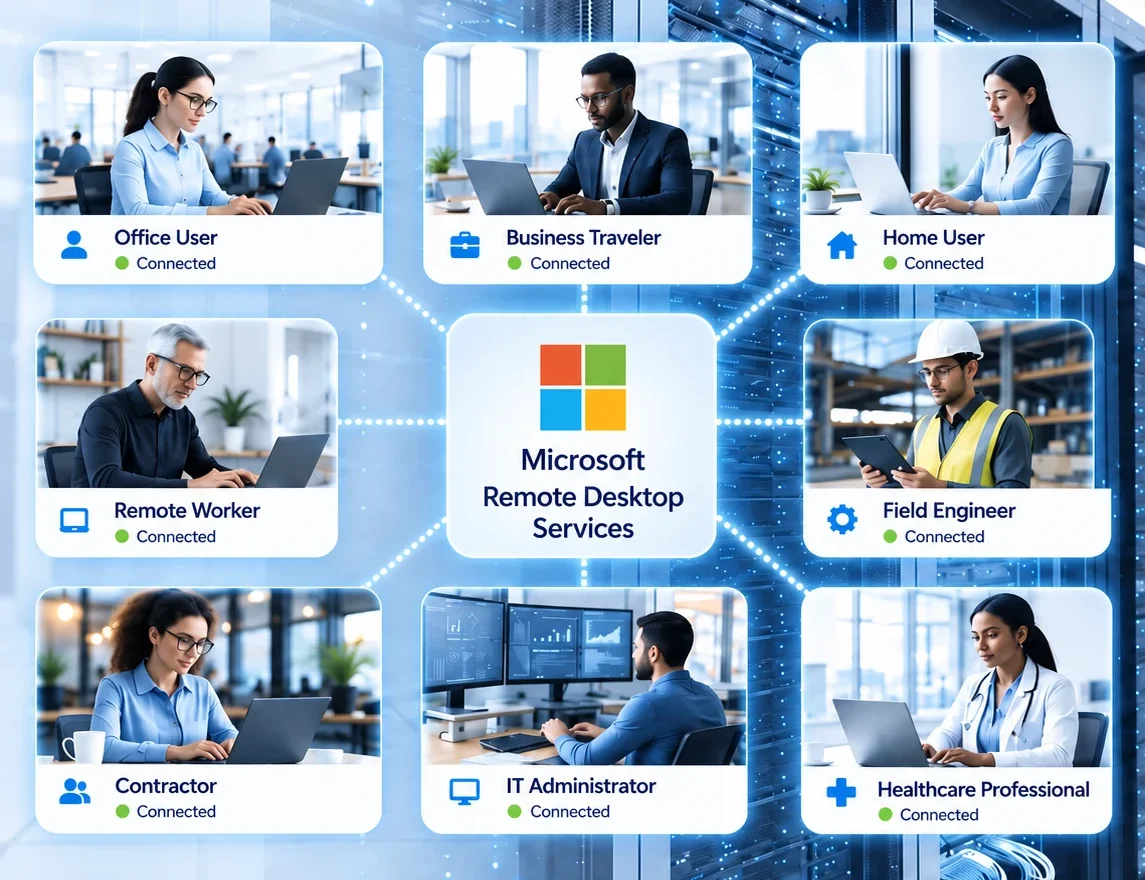
Microsoft Remote Desktop Services, often called RDS, helps businesses deliver secure remote desktops, RemoteApp programs, and centralized Windows-based workloads from a Windows Server environment. Whether you are supporting hybrid work, branch offices, shared workstations, or remote application access, RDS gives users a familiar desktop experience while allowing IT teams to manage apps, access, and licensing from a central place.

What Is Microsoft Remote Desktop Services?

Remote Desktop Services is a Windows Server role that lets organizations host Windows desktops and applications on centralized servers and deliver them to users over the network. Instead of installing and maintaining every business app on every endpoint, companies can publish full desktops or individual RemoteApp programs and let staff connect from the office, home, or while traveling.

You may also see people refer to Microsoft RDS as Windows Server Remote Desktop Services, Remote Desktop Session Host, Microsoft remote access server technology, or even Terminal Services, which is the older name used before Microsoft renamed the platform. In modern environments, RDS remains a practical way to provide secure remote access to line-of-business software, internal tools, and managed desktop sessions.

For many organizations, Microsoft Remote Desktop Services offers a simpler alternative to fully distributed desktop management because apps, updates, security policies, and user access can all be controlled from a central infrastructure.

Why Businesses Use RDS for Remote Work

RDS is popular because it gives teams access to the Windows applications and desktops they need without requiring every employee device to be configured the same way. IT can keep software on managed servers, control updates more easily, reduce support overhead, and provide a more consistent experience to users across different locations and devices.

  • Centralized delivery of Windows desktops and business applications
  • Support for hybrid work, remote staff, branch offices, and contractors
  • Simpler app maintenance, patching, and policy control for IT teams
  • Better use of shared hardware in labs, kiosks, training rooms, and shift environments
  • Secure external access through RD Gateway over HTTPS
  • Flexible delivery of either full desktops or specific RemoteApp programs

Because of that mix of control, flexibility, and familiarity, Microsoft Remote Desktop Services is still widely used by healthcare providers, accounting firms, schools, warehouses, engineering teams, and small to midsize businesses that need reliable access to Windows-based software.

Core RDS Components You Should Know

A typical Microsoft Remote Desktop Services deployment includes several roles working together. Understanding these components helps buyers, administrators, and search users quickly understand how an RDS environment is built.

RD Session Host

Hosts Windows-based desktops and applications for users. This is the role people most often mean when they talk about running Remote Desktop Services on Windows Server.

RD Licensing

Issues and tracks Remote Desktop Services Client Access Licenses, also known as RDS CALs, for users or devices that connect to the environment.

RD Gateway

Provides secure remote access over HTTPS, which helps organizations avoid exposing internal RDP ports directly to the internet.

RD Web Access

Publishes a web portal and feeds that show users the desktops and RemoteApp resources they are authorized to launch.

RD Connection Broker

Manages connections, reconnects users to existing sessions, and helps distribute sessions across the right hosts in the deployment.

Understanding RDS CAL Licensing

If your users connect to a Remote Desktop Session Host, Microsoft requires Remote Desktop Services Client Access Licenses. These are usually referred to as Microsoft RDS CALs, Windows Server RDS CALs, Remote Desktop CALs, or Windows Server Remote Desktop Services CALs. They are separate from the standard Windows Server CAL and are needed specifically for Remote Desktop Services access.

That distinction matters because many buyers assume that a standard Windows Server CAL automatically covers remote desktop sessions. It does not. The standard server CAL covers access to Windows Server in general, while the RDS CAL covers the additional right to use Remote Desktop Services features.

In a new deployment, there is typically an initial grace period, but production environments should still have a properly activated RD Licensing Server and the correct number of user or device licenses installed before relying on Remote Desktop Services long term.

Per User vs Per Device: Which RDS CAL Fits Better?

Microsoft offers two main RDS licensing models.

User CAL Benefits

Per User RDS CAL

A User CAL grants one person access, regardless of the device they’re using. They could be on their office computer one day, then their laptop the next. The license sticks with them, not the machine.

Device CAL Benefits

Per Device RDS CAL

A Device CAL licenses one device, even if several people use it. This works well in setups like shared workstations or labs, where multiple users rely on the same hardware to access the server.

Per User licensing is often the better fit for modern work patterns where one employee uses a desktop in the office, a laptop at home, and sometimes a personal device while traveling. Per Device licensing is often a stronger fit for shared environments such as clinics, training labs, retail counters, call centers, and manufacturing floors where many people rotate through the same workstation.

Choosing the right model can improve compliance, reduce unnecessary overspending, and make future scaling easier. It is one of the most important decisions in an RDS deployment because it affects how you count usage as your organization grows.

Security, Access Control, and Safer Remote Connectivity

Security is one of the main reasons organizations standardize on a structured RDS deployment instead of giving users direct unmanaged access to internal systems. With the right design, administrators can centralize app delivery, restrict who can launch specific resources, apply group policy, and route external traffic through RD Gateway instead of exposing internal Remote Desktop endpoints directly.

For users, that usually means a smoother sign-in experience and more consistent access to business systems. For IT teams, it means more control over patching, authentication, published resources, and session behavior. In practice, Microsoft Remote Desktop Services works best when paired with strong identity controls, least-privilege access, and secure external publishing practices.

Common RDS Use Cases

One reason Microsoft Remote Desktop Services continues to rank for such a wide range of search queries is that it solves several different business problems at once. It is not only a remote desktop tool. It is also a way to deliver applications, standardize user sessions, support distributed teams, and reduce endpoint management complexity.

  • Giving employees secure access to company desktops from home or while traveling
  • Publishing accounting, ERP, EMR, POS, CAD, or legacy Windows applications through RemoteApp
  • Running shared desktops for classrooms, training centers, and testing labs
  • Supporting shift workers and front-line teams on shared devices
  • Extending controlled access to contractors, franchise branches, and satellite offices
  • Keeping line-of-business software on centrally managed infrastructure instead of many independent PCs

Version Compatibility and Upgrade Planning

Version matching matters in Microsoft Remote Desktop Services. Your RDS CALs need to be compatible with the version of Windows Server your users or devices connect to. In general, newer RDS CALs can be used to access earlier versions of Windows Server, but older RDS CALs cannot be used to access later server versions.

That becomes especially important when upgrading from Windows Server 2016, 2019, or 2022 to a newer release. Planning the upgrade path for your Session Hosts, licensing server, and connection broker roles ahead of time can help prevent downtime, activation issues, and last-minute licensing surprises.

If you are migrating an existing deployment, it is worth reviewing your collections, user count, device count, and application mix first. A clean upgrade plan usually leads to better performance, easier license tracking, and a smoother user experience after cutover.

What to Review Before Deploying Microsoft RDS

A successful Remote Desktop Services deployment is not only about installing roles. It is also about matching the environment to how people actually work. Before rollout, it helps to review the number of users, the number of shared devices, the apps being published, session density expectations, access from outside the office, and which RDS CAL model best fits your business.

  • How many people need remote desktops or RemoteApp access
  • Whether users work across many devices or share a limited number of endpoints
  • Which Windows Server version the Session Host environment runs on
  • Whether you need RD Gateway, RD Web Access, and Connection Broker roles
  • How licensing will be activated, tracked, and audited over time
  • How future growth, seasonal staffing, or expansion could affect capacity and CAL counts

Thinking through those details early helps organizations avoid both under-licensing and overbuying while also improving the quality of the final RDS user experience.

Hear From Our Happy Customers

Here are some reviews from verified buyers who are happy with our product quality,  instant digital delivery, and excellent customer service. Read what they have to say about their experience with RDSCAL.COM: