Shop Windows Server RDS CALs
Buy Windows Server RDS CALs
Shop RDS CALs for Windows Server 2025, 2022, 2019, and 2016.
Choose User CALs or Device CALs, select the pack size your business needs, and use downgrade rights for added flexibility across earlier supported deployments.
Fast license delivery
Perpetual CALs
PayPal secure checkout
Support available
RDS CAL calculator
Unsure which RDS CAL option fits your setup?
Open the calculator to compare User CALs and Device CALs, estimate the quantity you need, and choose the most practical option for your Windows Server RDS environment.
RDS CAL packs
Choose your Windows Server RDS CAL pack
Select the Windows Server version, choose User or Device CALs, and add the right pack size to your cart.
Pick the right version firstHigher-version RDS CALs include downgrade rights for earlier supported Windows Server deployments.
Every order includes
- Fast License Delivery
- Perpetual RDS CALs
- 60-Day Exchange
- PayPal Buyer Protection
- Support available
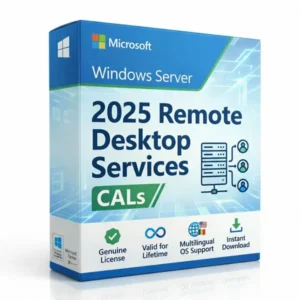
Microsoft Windows Server 2025 RDS CALs
Includes downgrade rights for 2022, 2019, and 2016
Selected price
Original price was: $349.99.$229.99Current price is: $229.99.
User CALs require an Active Directory environment. If your server is on a Workgroup and you do not intend to use Active Directory, please select Device CALs.
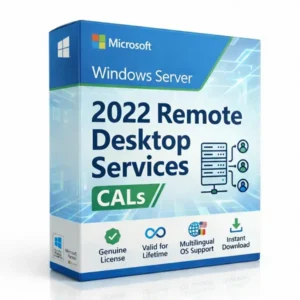
Microsoft Windows Server 2022 RDS CALs
Includes downgrade rights for 2019 and 2016
Selected price
Original price was: $299.99.$199.99Current price is: $199.99.
User CALs require an Active Directory environment. If your server is on a Workgroup and you do not intend to use Active Directory, please select Device CALs.
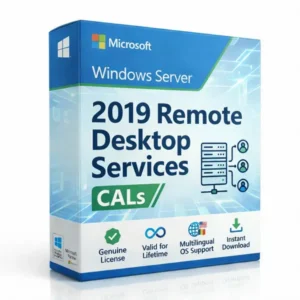
Microsoft Windows Server 2019 RDS CALs
Includes downgrade rights for 2016 deployments
Selected price
Original price was: $249.99.$169.99Current price is: $169.99.
User CALs require an Active Directory environment. If your server is on a Workgroup and you do not intend to use Active Directory, please select Device CALs.
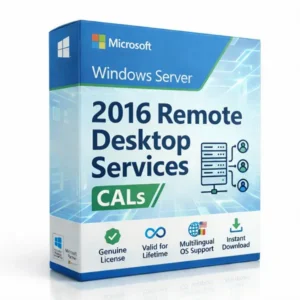
Microsoft Windows Server 2016 RDS CALs
Designed for Windows Server 2016 RDS environments
Selected price
Original price was: $199.99.$139.99Current price is: $139.99.
User CALs require an Active Directory environment. If your server is on a Workgroup and you do not intend to use Active Directory, please select Device CALs.
Before checkout:
If you install RDS CALs through the standard RD Licensing Manager, you can proceed with your order. If your organization uses VLSC or a centralized Microsoft licensing portal to manage and deploy licenses, please contact us before purchase so we can confirm the correct license format.
Operating system note:
A Windows Server operating system license is not included.
Licensee information:
Please enter accurate business and contact details at checkout. These details are used for registration and order records.
Need a custom RDS CAL quote?
Tell us your Windows Server version, CAL type, and quantity. We will review the request and respond with pricing tailored to your requirements.
User CALs vs Device CALs
Choose the right RDS CAL type for your deployment
Before buying, confirm whether your environment should be licensed by named users or by specific devices. This keeps your order aligned with how people actually connect to your Windows Server RDS environment.
Simple rule
User CALs follow people. Device CALs follow endpoints. Shared computers usually fit better with Device CALs.
Licensed by person
RDS User CALs
Choose Remote Desktop Services User CALs when each named user needs remote access, especially when the same person connects from more than one device.
Best when:
- The same users connect from laptops, office PCs, or home workstations.
- Access is assigned to employees, contractors, or regular named users.
- Licensing by person is cleaner than tracking every endpoint.
Deployment note: User CALs are best suited to Active Directory environments. If your server is on a workgroup and you do not intend to use Active Directory, select Device CALs.
Licensed by endpoint
RDS Device CALs
Choose Remote Desktop Services Device CALs when remote access is tied to specific computers, terminals, shared office systems, or fixed workstations.
Best when:
- Multiple people use the same workstation or terminal.
- Your environment uses shared desks, fixed PCs, or shift-based access.
- Your Windows Server setup is workgroup-style or device-focused.
Selection tip: Device CALs are often simpler when access is tied to fixed endpoints rather than individual users.
Not sure which CAL type applies?
Send a short note about how users connect and whether your server uses Active Directory or a workgroup.
Contact support.
Procurement FAQ
Questions buyers ask before purchasing RDS CALs
A focused FAQ for IT buyers, administrators, consultants, MSPs, and procurement teams reviewing version fit, ownership, deployment use, and exchange options.
Review before checkout
These answers cover common purchase questions before you proceed to buy or contact support.
How does your pricing compare to traditional CSP or procurement channels?
Traditional CSP and procurement channels often include pricing floors, distributor layers, reseller margins, and longer purchasing workflows. RDS CAL Store operates as an independent volume licensing specialist, allowing us to source Microsoft RDS CALs at scale and price them more efficiently.
Will these licenses pass a formal Microsoft audit or SAM review?
Our licenses are supplied as standard Microsoft volume licenses for compliant use in supported environments. If your organization is currently going through, preparing for, or responding to a formal Microsoft audit or Software Asset Management (SAM) review, please contact us before purchasing so we can confirm the right license format for your setup and compliance requirements.
Can IT consultants or MSPs purchase RDS CALs for clients?
Yes. IT consultants, MSPs, and system integrators can purchase RDS CALs for client deployments. Please mention the correct customer or client details in the order details or order notes when placing the order.
Do these CALs include downgrade rights for older server versions?
Yes. Higher-version RDS CALs include downgrade rights for earlier supported Windows Server RDS deployments. For example, Windows Server 2025 RDS CALs can be used with Windows Server 2025, 2022, 2019, and 2016 RDS environments. Older RDS CALs cannot be used with newer Windows Server versions.
Will these licenses expire or require renewal?
No. These are perpetual RDS CALs and do not require monthly or annual renewal. Once purchased, the licenses remain valid for the supported lifetime of the Windows Server RDS version they are purchased for, including eligible downgrade use.
Is there a time limit to activate the license after purchase?
No. There is no short activation deadline after purchase. You can keep the license details safely and activate the RDS CALs when you are ready to deploy them on a supported Windows Server RDS environment.
Do I own the license permanently?
Yes. These are perpetual RDS CALs. Once purchased, you retain ownership of the license for the supported lifetime of the Windows Server RDS version it is purchased for, including eligible downgrade use.
Are these licenses region-restricted?
No. Our RDS CALs are approved for worldwide deployment and are not region-restricted. You can install and deploy these licenses on servers located anywhere in the world.
Can I use these licenses on cloud platforms?
Yes. You can use these RDS CALs for Windows Server Remote Desktop Services deployments on cloud environments such as AWS, Google Cloud Platform (GCP), Microsoft Azure, third-party cloud hosting providers, dedicated servers, or on-premises servers, as long as the server environment supports standard RDS CAL installation and activation.
What if I misplace my license details?
If you misplace your license details, log in to your account on our website and go to your order summary section. You can view and download your license details directly from your dashboard at any time.
What if I order the wrong CAL type or server version?
If you purchase the wrong server version or need to switch between User and Device CALs, you can exchange eligible unactivated licenses from your account dashboard within 60 days of purchase. Go to your order summary, choose the correct product, and pay any applicable price difference. Once the exchange is completed, the original license key is permanently blacklisted to prevent unauthorized use.
Can these CALs be transferred to a different server?
Yes. These RDS CALs can be moved to another server when you replace or upgrade your server hardware. To remain compliant, the original server must be fully decommissioned or wiped before the licenses are activated on the new deployment.
Downgrade rights
Choose the right RDS CAL version for your server
Higher-version RDS CALs can be used with the same Windows Server version and earlier supported versions. This is useful when your business is managing mixed RDS deployments, older servers, or a future upgrade path.
Version rule
Newer RDS CAL versions can cover earlier supported versions. Older CALs do not cover newer Windows Server versions.
Maximum flexibility
2025
Windows Server 2025 RDS CALs
- 2025
- 2022
- 2019
- 2016
Popular choice
2022
Windows Server 2022 RDS CALs
- 2022
- 2019
- 2016
Established servers
2019
Windows Server 2019 RDS CALs
- 2019
- 2016
Legacy support
2016
Windows Server 2016 RDS CALs
- 2016
Version match tip
Choose the RDS CAL version that matches the newest Windows Server RDS deployment you need to license. Higher-version CALs can cover earlier supported versions, but older CALs do not cover newer server versions.
Buyer confidence
Buy RDS CALs with clear records and practical safeguards
RDS CAL Store keeps the purchase process clear for business buyers with structured order records,
license details, secure checkout options, and an exchange path if the wrong RDS CAL type
or Windows Server version was selected.
Designed for business purchases
Please enter accurate business and contact details at checkout. These details are used for registration and order records.
Clear Order Records
Your Order Summary helps keep the Windows Server version, CAL type, pack size, and purchase details organized for your business records.
60-Day Exchange Option
Eligible unactivated licenses may qualify for a one-time exchange between User and Device CALs, or a version change, within 60 days of purchase.
Perpetual License Ownership
These are perpetual RDS CALs. Once purchased, the license remains valid for the supported lifetime of the Windows Server RDS version purchased.
PayPal Secure Checkout
Checkout supports PayPal secure checkout and card payment options shown at the payment step, so buyers can complete the order through a familiar payment flow.
How the exchange option works
If you purchase the wrong server version or need to switch between User and Device CALs, eligible unactivated licenses can be exchanged from your account dashboard within 60 days of purchase.
Go to your Order Summary, choose the correct product, and pay any applicable price difference. Once the exchange is completed, the original license key is permanently blacklisted to prevent unauthorized use.
Ready for checkout
Ready to buy your Windows Server RDS CALs?
Return to the product grid, choose the Windows Server version you need, select User CALs or Device CALs, and add the correct pack size to cart. For unusual licensing requirements, contact RDS CAL Store before placing the order.
Confirm server version
Match the CAL version to the newest Windows Server RDS deployment you need to license.
Choose CAL type
Use User CALs for named people or Device CALs for fixed/shared endpoints.
Enter correct details
Business and contact details are used for registration and order records.
Complete checkout
Review the order, complete payment, and access license details from your Order Summary.
Perpetual RDS CALs
Account Order Summary
60-Day Exchange Option
Pre-Sales Help Available