
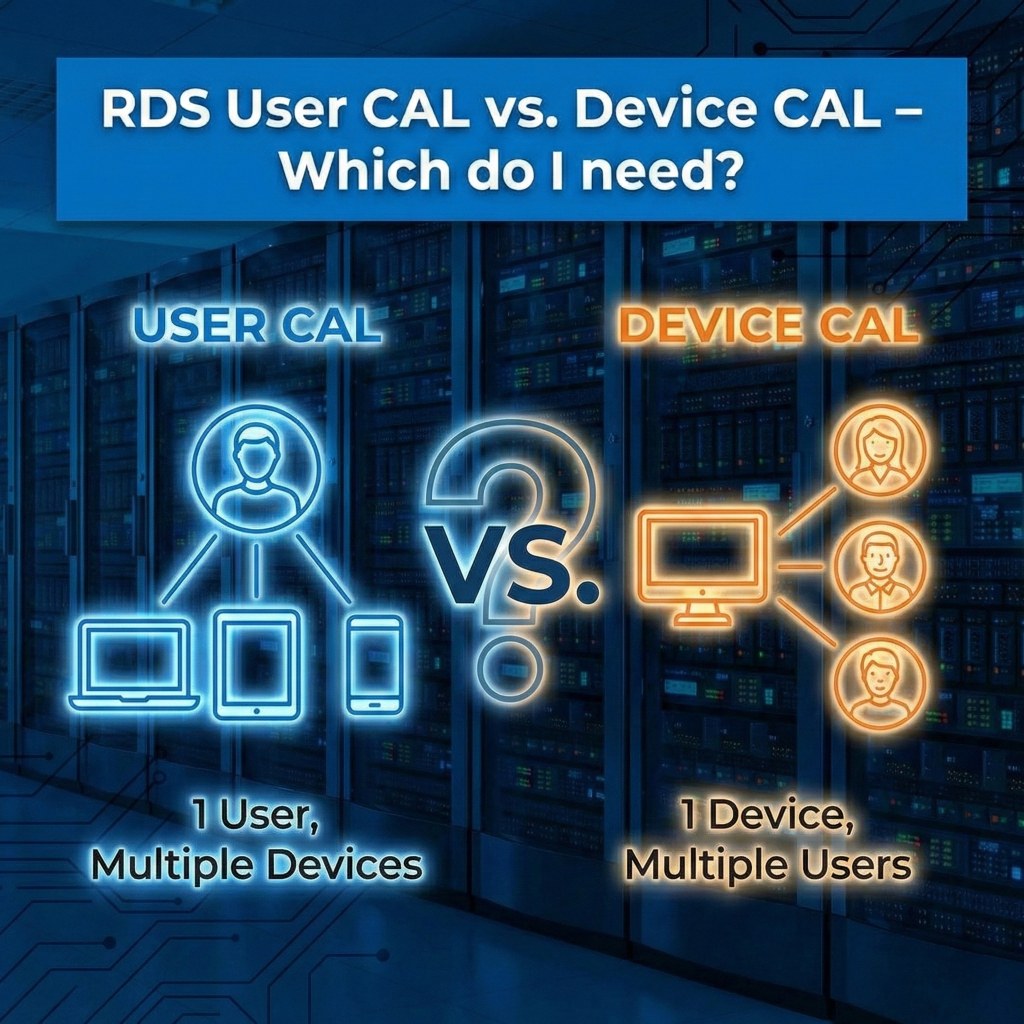
RDS User CAL vs. Device CAL – Which do I need?
A guide to choosing the right licensing model for your business.
When setting up a Remote Desktop environment, one of the most common questions is: "Should I buy User CALs or Device CALs?" Choosing the wrong type can lead to unnecessary costs or compliance issues.
Option 1: Per User CALs
A User CAL is assigned to a specific human being. That user can access the server from an unlimited number of devices.
Best for:
Option 2: Per Device CALs
A Device CAL is assigned to a specific physical device (computer, tablet, thin client). An unlimited number of users can use that device to connect to the server.
Best for:
Comparison at a Glance
| Feature | Per User CAL | Per Device CAL |
|---|---|---|
| Licensed Entity | The Person | The Computer/Device |
| # of Devices Allowed | Unlimited | 1 Specific Device |
| # of Users Allowed | 1 Specific User | Unlimited |
| Tracking | Not strictly enforced by the server (honor system/audit) | Strictly enforced (server assigns temporary token) |
| Ideal Scenario | Modern Office / Remote Work | Call Centers / Shift Work |
The Verdict
Choose User CALs if: You have more devices than users (e.g., 10 employees with 20 devices).
Choose Device CALs if: You have more users than devices (e.g., 50 employees sharing 20 computers).
Author Bio

Microsoft Certified Professional
With over 20 years of experience deploying and managing enterprise Windows Server environments, Keloth leads technical implementation at RDS CAL Store. He specializes in Remote Desktop Services infrastructure, secure remote architecture, and helping IT teams seamlessly scale their official licensing.
Related Posts
Understanding RDS CAL Downgrade Rights
Home – Understanding RDS CAL Downgrade Rights Understanding RDS CAL Downgrade Rights When managing a Remote Desktop Services environment, hardware and software upgrades rarely happen all at once. You might purchase new Client Access Licenses (CALs) today, but still need them to authorize connections to older servers running in your datacenter. Microsoft accommodates this reality…

How to Disable Remote Desktop Easy Print in Windows Server (2016-2025)
Home – How to Disable Remote Desktop Easy Print in Windows Server (2016-2025) How to Disable Remote Desktop Easy Print in Windows Server (2016-2025) Remote Desktop Easy Print is the default driver Windows uses to map local client printers into a remote session. While convenient, it strips away advanced printer features (like stapling, tray selection,…
How to Create a Remote Desktop User in Windows Server (2016, 2019, 2022 & 2025)
Home – How to Create a Remote Desktop User in Windows Server (2016, 2019, 2022 & 2025) How to Create a Remote Desktop User in Windows Server (2016, 2019, 2022 & 2025) Provisioning remote access for a new employee requires more than just creating a standard Windows account. To securely connect to a Session Host,…

How to Fix the CredSSP “Encryption Oracle Remediation” RDP Error
Home – How to Fix the CredSSP “Encryption Oracle Remediation” RDP Error How to Fix the CredSSP “Encryption Oracle Remediation” RDP Error If you are managing Windows Servers, you have likely encountered this terrifying error message when trying to connect via Remote Desktop: “An authentication error has occurred. The function requested is not supported… This…